
Email management on Android
Effective Strategies for Email Management Success
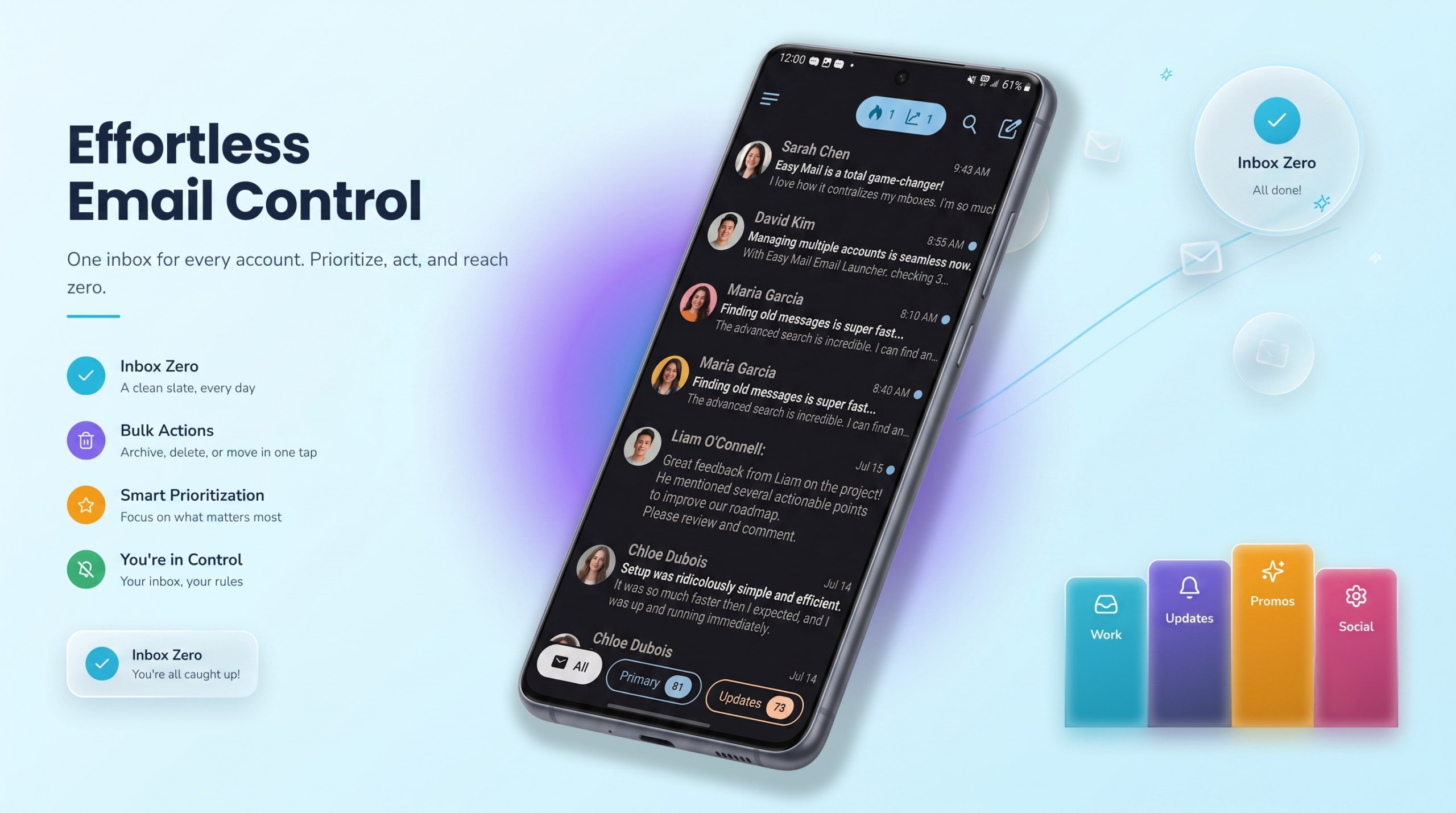
Good email management is not about answering every message the second it arrives. It is about building a system that keeps important mail visible, junk out of the way, and your attention on work that actually matters. If your inbox feels like a second job, the fix usually comes from a mix of simple habits and tools that remove friction.
That is what this guide covers. You will find practical email management strategies anyone can use, plus a look at how Easy Mail Email Launcher on Android supports each one with a unified inbox, AI Respond, Inbox Zero, and home screen tools that keep you from bouncing between apps all day.
Want every account in one swipe, with cleanup and writing help built in? Start with Easy Mail on Google Play.
Why is Email Management Difficult?
Most people do not struggle with email because they are lazy. They struggle because the volume keeps growing and the tools were never designed for five accounts, three apps, and a phone that buzzes every few minutes.
Work mail lives in one app. Personal mail in another. An old Yahoo address you still check sits somewhere else. Promos stack up because unsubscribing takes longer than ignoring. Replies stall because the right words do not come quickly. By the time you have checked everything, the morning is half gone.
Real email management success starts when you treat the inbox like a process, not a pile. Clear inputs. Fewer apps. Defined times to check. Tools that match how you actually use your phone.
How Can You Make Email Management Habits Actually Stick?
Before you change apps, tighten a few habits. These work whether you use Gmail, Outlook, Yahoo, or all three at once.
Check mail at set times, not all day
Constant inbox checking creates the feeling of busyness without real progress. Pick two or three windows for email: morning triage, a midday pass, and a short end-of-day review. Outside those windows, leave the inbox alone. You will reply to fewer messages on autopilot and miss fewer things that truly need a same-day answer.
Use the two-minute rule during triage
When you open a message, decide quickly. If you can reply, archive, or delete in under two minutes, do it now. If it needs research or a longer response, flag it and move on. The goal is to stop rereading the same subject line four times before you act.
Unsubscribe with intention
Newsletters you never read are not free. They cost attention every time they land. When a promo or digest shows up and you skim past it again, unsubscribe. One less sender today means hundreds fewer messages over the next year.
Keep labels and folders simple
A filing system only helps if you will maintain it. Most people need a short list: action needed, waiting on someone, reference, and done. Fancy nested folders look organized on day one and empty by month two. Start small and add structure only when a real need shows up.
Turn down noise you do not need
Not every notification deserves a buzz. Mute low-priority lists at the provider level when you can. For mail that must arrive quickly, keep alerts on. For everything else, let it wait until your next scheduled check. Less interruption makes every other email management strategy easier to follow.
Why Should You have Every Account in One Place?
Habits help, but app switching still kills momentum. Opening Gmail, then Outlook, then Yahoo turns a five minute scan into a twenty minute shuffle. That is the problem a unified inbox solves.
Easy Mail Email Launcher merges Gmail, Yahoo, Outlook, and other providers into one clutter-free view. Tap “+” to add unlimited accounts, then combine them into a single feed or isolate them with a toggle when you want focus on one mailbox. Push notifications are built for speed at the launcher level, so time-sensitive mail is less likely to sit unnoticed while you are in another app.
For Android users, the bigger win is placement. Easy Mail lives on your home screen. Swipe right and every inbox is there. You are not hunting icons or waiting for a separate client to load before you can triage.
Easy Mail is trusted by over 1M users. If you can swipe and tap, you can run a unified inbox without a long setup guide.
Why Should You Clear Clutter Before It Becomes Your Default View?
Email management fails when the unread count is so high that opening the app feels like punishment. Promos, expired coupons, shipping updates, and lists you forgot you joined all add weight. You do not need to delete messages one at a time to fix it.
Easy Mail’s Inbox Zero tools are built for large backlogs. Bulk-delete thousands of unread emails with a right swipe, block unwanted senders so junk is less likely to return, and free up storage as old attachments leave with the messages. Your current labels and folders stay intact, so cleanup clears noise without wiping the organization you already built.
Pair bulk delete with sender blocking. Delete once and the pile shrinks. Block repeat spam and the inbox stays closer to empty with less daily maintenance.
How Can You Reply Faster Without Sounding Rushed?
Even a tidy inbox slows down when every reply starts from a blank screen. Easy Mail’s AI Respond sits in the compose flow so you can get unstuck without switching apps.
- Start from scratch and draft a polished first version in seconds
- Highlight text you already wrote and rephrase it to sound more professional or more casual
- Shorten a long note down to the key points
- Expand a brief reply when you need a fuller answer
Compositions are unlimited, and the goal is to keep your voice, not replace it. That helps with meeting follow-ups, quick confirmations, and messages where you know what to say but not quite how to say it.
How Can You Reduce App Switching on Your Home Screen?
Email management is not only about mail. It is also about how many other apps pull you away while you are trying to focus. Easy Mail Email Launcher keeps more of your routine on one screen.
Pull down for a curated feed of trending news and entertainment headlines from reliable sources, then swipe away when you are done. Use hands-free voice search when typing on a phone keyboard feels slow. You can skim headlines or run a quick query without opening another app, reading three notifications, and forgetting what you came back to answer. Learn more on the Trending News page.
Light mode and dark mode both work, so the home screen matches the theme you already use. Small comfort details add up when you check mail often.
Why Should You Develop a Simple Daily Email Management Routine?
You do not need a complicated framework. Try this flow for one week and adjust from there.
- Morning: swipe right in Easy Mail, scan your unified inbox, and handle anything that takes under two minutes
- Flag longer replies and toggle to a single account if you need deep focus on work mail
- Midday: one scheduled check. Answer what blocks someone else. Leave the rest for later
- Cleanup block: use Inbox Zero to bulk-delete obvious junk and block repeat spam senders
- Replies: open AI Respond when wording is the only thing slowing you down
- End of day: one final pass, then close the inbox until tomorrow
The point is fewer context switches and clearer next actions. One gesture to open mail. One feed to scan. Tools for cleanup and writing in the same place you already check from your home screen.
When Should you Rethink Your Email Setup?
Consider changing tools when you notice the same problems every week. You miss messages because they sit in an app you forgot to open. Your unread count never drops even after you spend time deleting. Replies take longer than they should because drafting feels painful. Or you lose twenty minutes each morning just moving between accounts.
Those are signs your current setup fights your habits instead of supporting them. Better email management usually means fewer steps, not more rules.
You Might Also Want to Know
What is the best first step for email management?
Start with triage habits and a single place to read mail. Schedule when you check, use the two-minute rule during those windows, and consolidate accounts in a unified inbox so you are not opening three apps for one morning scan.
Can I manage Gmail, Yahoo, and Outlook in one Android app?
Yes. Easy Mail supports popular providers in one view. Add each account with the “+” button, then combine or separate them with a toggle inside the unified inbox.
How do I clear a huge unread backlog without losing folders?
Use bulk cleanup tools instead of tapping delete on every message. Easy Mail Inbox Zero lets you remove large batches and block spam senders while keeping your existing labels and folders in place.
Does AI writing help replace my own voice?
No. Easy Mail AI Respond is meant to draft, rephrase, shorten, or expand what you already want to say. You review and send the final version, so the message still sounds like you.
Is Easy Mail safe for connecting multiple email accounts?
Easy Mail connects through the standard login processes your providers support on Android. Over one million users rely on it for daily inbox access. Review the app’s privacy policy and permissions before you connect your accounts, as you would with any mail client.
Build an Inbox That Works for You
Email management success comes down to habits you can repeat and tools that remove steps you should not have to take every day. Check at set times. Unsubscribe aggressively. Keep folders simple. Put every account in one view, clear clutter before it wins, and get help drafting when words are the bottleneck.
Easy Mail Email Launcher brings those pieces together on Android. Swipe right from your home screen for a unified inbox, clear thousands of junk messages with Inbox Zero, reply faster with AI Respond, and stay informed without opening another app. Less shuffle. Less stress. More time for everything outside the inbox.
Install Easy Mail Email Launcher on Google Play and put effective email management one swipe from your home screen.
