
Email safety
Medicare Is Open. Here Are the 5 Emails Pretending to Be Medicare.

Open Enrollment started two days ago. If your inbox looks anything like the ones we have been watching, the fake Medicare emails have already started piling up.
Quick version: Five fake emails show up every year during Open Enrollment: the new card, the cancelled plan, the free equipment, the refund, and the “update your account.” Every one of them wants your Medicare number or a click. Medicare will not send any of these. Delete them and call 1-800-MEDICARE if you have a real question.
Last week’s post covered what to expect before enrollment opened. This one is the field guide. Five specific emails, what each one looks like, what it is really after, and what to do.
A reminder before the list: your phone hides the sender’s real address behind a friendly name. Tap the name at the top of any email to see the actual address. If it does not end in medicare.gov or cms.gov, you already have your answer.
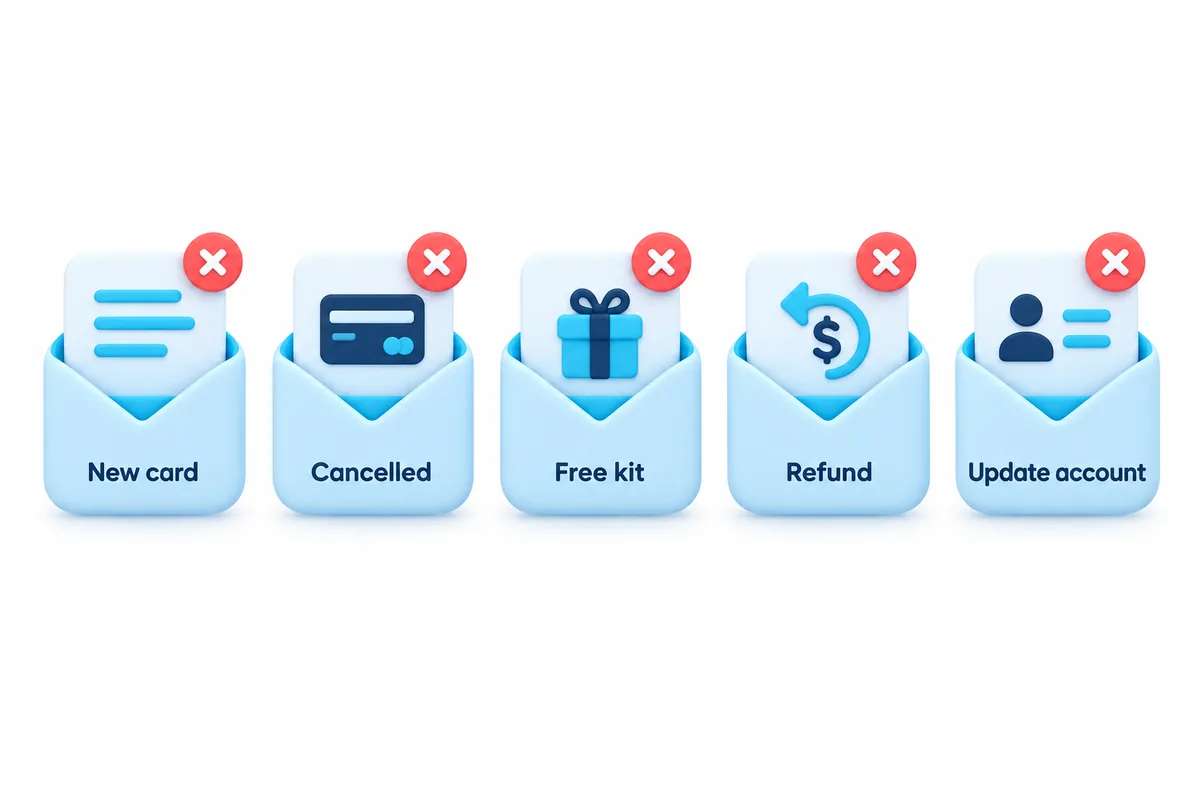
1. “Your new Medicare card is ready”
What it says: Medicare is issuing new cards. Plastic cards, chip cards, “updated” cards. Confirm your information to receive yours. Sometimes there is a small “processing fee.”
What it wants: Your Medicare number, and often a card number for the fee.
The truth: There is no new card. Medicare is not replacing anyone’s card this year, and it never charges for one. NCOA lists “requests to update your Medicare card” as one of its five warning signs precisely because this one works so well. Your paper card is your card.
2. “Your coverage will be cancelled”
What it says: Your plan is ending. Your benefits are on hold. Tap to keep your coverage before the deadline.
What it wants: A click to a fake Medicare login page that collects your number, your Social Security number, and sometimes your bank details.
The truth: Medicare does not cancel coverage by email. Real plan changes come by postal mail from your plan, with your name and plan ID, and they give you weeks, not hours. The urgency is the tell.
3. “You qualify for free medical equipment”
What it says: A free back brace, knee brace, glucose monitor, or “senior wellness kit.” Covered 100 percent by Medicare. Just confirm your Medicare number.
What it wants: Your Medicare number, which is then used to bill Medicare for equipment you never receive, or receive and did not need.
The truth: This is the single most expensive category of Medicare fraud. NCOA cites one brace scheme worth $51 million in fraudulent claims. And a new version showed up this September: emails with subject lines like “Your MyChart Medicare Kit Awaits,” offering a free “Medicare Home Health Kit,” according to the Association of Health Care Journalists. About 41 health systems have warned patients about it. We cover that one in detail next week.
4. “You are owed a refund”
What it says: Medicare overcharged you. A refund of $X is waiting. Provide your bank details to receive it.
What it wants: Your bank account number and routing number.
The truth: If Medicare ever owes you money, it arrives as a check or through the payment method already on file. Nobody at Medicare will ask you to type your bank information into an email or a website you reached from one.
5. “Update your Medicare account”
What it says: Your account information is out of date. Your login has expired. Verify your identity to continue.
What it wants: Your Medicare.gov username and password, which opens up everything.
The truth: Medicare.gov does not expire your account or lock you out by email. If you want to check your account, type medicare.gov into your browser yourself and log in there. Never through a link.
What they all have in common
Read the five again and notice: every one of them either asks for your Medicare number or asks you to tap a link. Those are the only two things a scammer needs, and they are the only two things Medicare never asks for by email.
So the rule is short. Medicare number: never by email. Link in a Medicare email: never tap it. Everything else follows from that.
If you already responded to one
You are not alone, and it is fixable. Call 1-800-MEDICARE (1-800-633-4227) and tell them what you shared. If it was a bank or card number, call the number on the back of your card next. The Senior Medicare Patrol (1-877-808-2468) can walk you through the rest. We have a full step-by-step guide coming October 27: I tapped the link. Now what?
How Easy Mail fits in
If you have more than one email address, these five emails are hitting all of them. Easy Mail puts Gmail, Yahoo, and Outlook in one inbox on your home screen so the “tap the sender name” check works the same way everywhere. And one-tap cleanup clears the pile of fakes so the real mail from your actual plan is not buried.
Get Easy Mail Email Launcher on Google Play.
Frequently asked questions
Is there really no new Medicare card?
Correct. Medicare last issued new cards in 2018 and 2019 to remove Social Security numbers. There is no new card in 2026 and there is never a fee.
My plan sent me an email. How do I know it’s really my plan?
Tap the sender name and check the address matches your plan’s actual website. Then, instead of tapping anything in the email, call the member services number printed on your insurance card and ask.
Can I stop these emails?
Not entirely, but you can report each one to reportphishing@apwg.org and mark it as spam in your email app, which teaches the app to catch the next one.
Sources: NCOA: 5 Warning Signs of a Medicare Scam · AHCJ: MyChart phishing scam targets seniors (Sep 16, 2026)
