
Android home screen guide
Best Android Launcher Apps in 2026: A Clear, Friendly Guide for Everyday Users
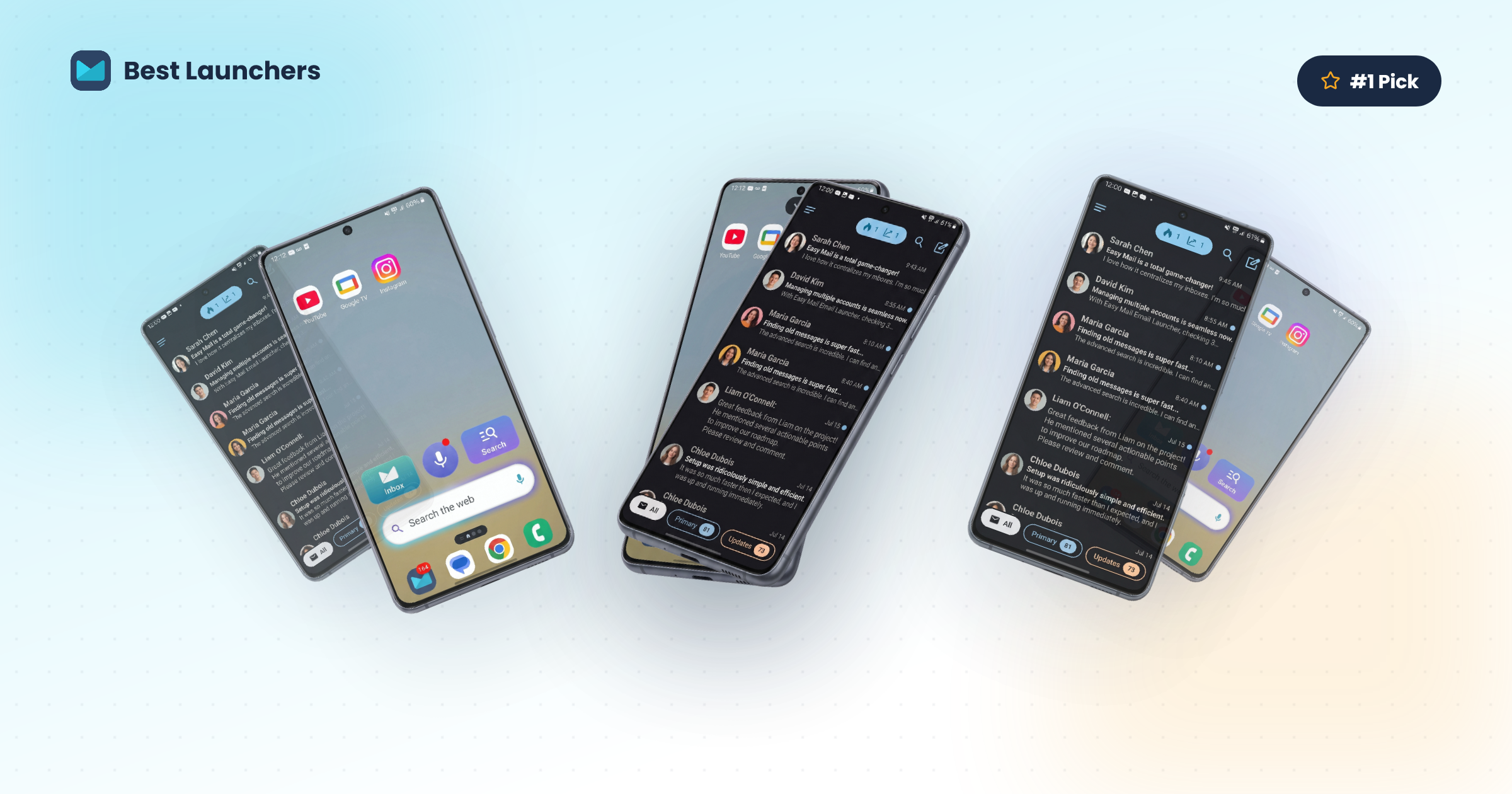
If you have ever glanced at your Android phone and thought there must be a better way to organise this, you are in the right place. Choosing from the best Android launcher apps can make your phone feel like a new device, one that works the way you want instead of the way a manufacturer guessed you would use it.
This guide covers what an Android launcher actually is, why people switch, and which options are worth your time in 2026. If email is part of your daily routine for work, family, or keeping up with appointments, pay close attention to the first pick. It is built for practical life, not for tinkering with every icon size.
Want an Android home screen replacement that puts every inbox one swipe away? Try Easy Mail Email Launcher on Google Play.
What Exactly Is an Android Launcher?
Your Android launcher is the software that controls what you see on your phone’s home screen. It decides where app icons sit, how you search, whether widgets appear, and how quickly you can get from one task to the next.
Unlike some other phone platforms, Android lets you swap that home screen for a different one. Think of it like redecorating a living room. The house stays the same. Your apps, photos, and contacts stay where they are. You are only changing the front door.
That Android home screen replacement usually takes a few minutes to install. We walk through the steps later in this article, including how to set a default launcher and how to add email accounts if you choose an email launcher for Android.
Why Would You Want to Change Your Launcher?
Most phones ship with a manufacturer launcher already in place. Samsung has its own home screen. Pixel phones use the Pixel Launcher. Those defaults are fine for many people, but they are built for everyone in general, not for your daily habits.
Here are some solid reasons to look at the best launcher for productivity instead:
- You manage multiple email accounts and want them in one place without switching apps
- You want a cleaner, less cluttered home screen that is easier to read and tap
- You want faster access to the few things you use every day
- You want to spend less time hunting for messages or wading through junk
- You prefer larger text, simpler navigation, and less visual noise (especially helpful for adults who want a calmer phone)
Whatever your reason, switching launchers is one of the simplest changes you can make to how Android feels day to day.
The Best Android Launcher Apps in 2026
Below is a clear look at some of the best Android launcher apps available right now, including who each one suits best. The focus here is practical value, not novelty skins aimed only at power users.
1. Easy Mail Email Launcher (Our top pick for everyday users)
Best for: Anyone who uses email regularly and wants their phone to feel effortless
If email is a meaningful part of your day, Easy Mail sits in a category of its own. It is not only a minimalist launcher. It is a home screen experience built around making email simpler, faster, and easier to keep under control.
Here is what stands out:
One swipe to see all your emails. Easy Mail’s unified inbox brings your accounts together in one clean view. Gmail, Outlook, Yahoo, and others can appear side by side. Tap “+” to add unlimited accounts, then group them or keep them separate with a toggle. No more jumping between apps to catch a missed message.
Fast push notifications. Easy Mail is designed for launcher-level speed, with push notifications among the fastest on Android, so important mail is harder to miss.
AI-powered replies that still sound like you. With AI Respond, highlight text or start from scratch and get help rephrasing, shortening, or expanding a message. Compositions are unlimited, and you stay in control. The AI suggests. You decide what to send.
Bulk delete and block spam in seconds. Inbox Zero tools let you bulk-delete thousands of unread emails with a right swipe, block unwanted senders, and free up storage while keeping your current labels and folders.
News and voice search on the home screen. Pull down to see curated headlines from reliable sources, or use hands-free voice search without opening another app. Learn more on the Trending News page.
Light mode and dark mode. Easy Mail works with dark or light themes, so the home screen can match what feels comfortable on your eyes.
Easy Mail is trusted by over one million users. Here is what one of them shared:
“Unified all my email inboxes in one place! This is great!”
Lisa, 5-star review
Picture a busy adult with a work inbox, a personal Gmail address, and an older Yahoo account for shopping receipts. Instead of opening three apps before breakfast, they swipe right once, scan everything, reply with a little AI help when a message needs polish, then get on with the day. That is the everyday scenario Easy Mail is built for.
2. Nova Launcher
Best for: Users who want extensive customisation without a steep learning cliff
Nova Launcher has been a favourite for years because it gives you control over icon sizes, grid layouts, swipe gestures, and more. It is stable, reliable, and works well on many Android devices. If you enjoy personalising appearance and still want a familiar home screen launcher layout, Nova is worth exploring.
3. Niagara Launcher
Best for: Users who prefer a clean, minimalist launcher
Niagara Launcher is known for a simple design. Instead of a dense icon grid, it shows apps in an alphabetical list along one side of the screen, easy to reach with your thumb. It surfaces frequently used apps and recent notifications in a calm view. If your current home screen feels busy, Niagara is a strong minimalist option.
4. Microsoft Launcher
Best for: Users who live in Outlook, Word, Teams, and other Microsoft apps
Microsoft’s launcher integrates with your Microsoft account, surfaces calendar items and recent documents, and pairs well with a Windows PC if you use one. It is polished, free, and practical if Microsoft tools already run your workday.
5. Before Launcher
Best for: Users who want to spend less time on their phone
Before Launcher aims to reduce distraction. It shows a short list of your most-used apps in large, readable text, keeps notifications quieter, and avoids visual clutter. If your phone feels demanding, Before is designed around that problem.
A Quick Comparison: Which Launcher Is Right for You?
Use this table for a fast scan of features that matter for email, writing help, and ease of use.
| Feature | Easy Mail | Nova | Niagara | Microsoft | Before |
|---|---|---|---|---|---|
| Unified email inbox | Yes | No | No | Partial | No |
| AI-powered email writing | Yes | No | No | No | No |
| One-tap spam / bulk delete | Yes | No | No | No | No |
| Dark mode support | Yes | Yes | Yes | Yes | Yes |
| News feed on home screen | Yes | No | No | Yes | No |
| Voice search | Yes | Yes | No | Yes | No |
| Best for email users | Yes | No | No | Partial | No |
| Ease of setup | Excellent | Very good | Excellent | Very good | Very good |
A Simple Android Launcher for Older Adults and Busy Everyday Users
Many launcher roundups chase novelty. Fewer speak to adults who want larger readable text, fewer steps, and less screen clutter. If you have searched for an easy Android launcher for seniors, or a simple Android launcher for older adults, look for three things: clear labels, short setup, and a home screen that surfaces what you actually need.
Easy Mail fits that brief for people whose “must have” is email. Swipe right for a unified inbox launcher view. Use AI when a reply feels hard to write. Clear spam without a long tutorial. Pull down for news or voice search when you want a quick update. The goal is reclaiming time, not learning a new hobby.
How to Install a New Launcher on Your Android Phone
Switching launchers sounds technical. It is usually straightforward. Here is how to set one up, including Easy Mail.
Step 1: Find the launcher on Google Play
Open the Google Play Store app. Tap the search bar and type the name of the launcher you want, for example “Easy Mail Email Launcher.” Tap the correct result, then tap Install.
Step 2: Open the launcher for the first time
When install finishes, tap Open. Follow the on-screen setup. For Easy Mail, add your email accounts by tapping “+” and completing the prompts for each provider you use.
Step 3: Set it as your default launcher
The next time you press Home, Android should ask which launcher to use. Tap your new launcher, then tap Always. From then on, that home screen appears when you press Home.
Good to know: To switch back later, open Settings, tap Apps, find the launcher, look for the default or home app option, and choose a different launcher. Nothing is permanent. Your apps and data stay safe.
You Might Also Want to Know
What is an Android launcher?
An Android launcher is the app that draws your home screen and app drawer. It controls icons, widgets, search, and navigation. Changing it updates how your phone looks and feels without deleting your apps or files.
Will changing my launcher delete my apps?
No. Installing a new launcher only changes the appearance and layout of your home screen. Apps, photos, contacts, messages, and settings stay in place. You are changing the front door, not packing up the house.
Is it safe to download a launcher from Google Play?
Yes. Google Play is Android’s official store, and listed apps go through Google’s review process. Easy Mail, Nova Launcher, Niagara, Microsoft Launcher, and Before Launcher are available there.
Can I use Easy Mail with my existing Gmail or Outlook account?
Yes. Easy Mail works with the accounts you already have, including Gmail, Outlook, Yahoo Mail, and others. You do not need a new email address. Add your accounts during setup and the unified inbox pulls them together.
What if I try a launcher and decide I do not like it?
You can switch back in about half a minute. Open Settings, go to Apps, find the launcher, and uninstall it or change the default home app. Android returns to your previous home screen. There is little risk in trying something new.
Do Android launchers slow down your phone?
A well-made launcher should not make a noticeable dent in speed. Some lighter layouts can even make an older phone feel snappier. Easy Mail is designed to stay quick and responsive. If anything feels slow after installing an app, a restart often clears it up.
Your Home Screen, Your Way
Your Android home screen is the first thing you see every time you pick up your phone. It should save time, cut frustration, and put what you care about within easy reach.
For people who rely on email every day, Easy Mail Email Launcher is the clear standout among the best Android launcher apps. It brings inboxes together, helps you write clearer replies, clears clutter, and keeps news and voice search close, all from a simple home screen flow.
Whether you are new to launchers or you have been curious for a while, you can try a change today without locking yourself in.
Open Google Play, install Easy Mail Email Launcher, and see how different your phone can feel before the end of the day.
Keep Reading
Add to Home Screen Android: Apps, Sites, and Shortcuts
Adding Shortcuts to Homescreen on Android
Still have questions? Read more Easy Mail FAQs, or see how the Easy Mail launcher works.
